Larkspur Motors · A car dealership
A vehicle report for every car on the lot
Add a car by VIN and buyers scan its report from the windshield.
About an hour, or 5 minutes to clone and run.You need Node 20 or later and pnpm, a Cardog API key, some Next.jsClone the finished appgit clone https://github.com/cardog-ai/example-lot-vehicle-reports.gitRead the build guide
Larkspur Motors
A code on every windshield
Buyers scan the card on the glass and land on the car's report.
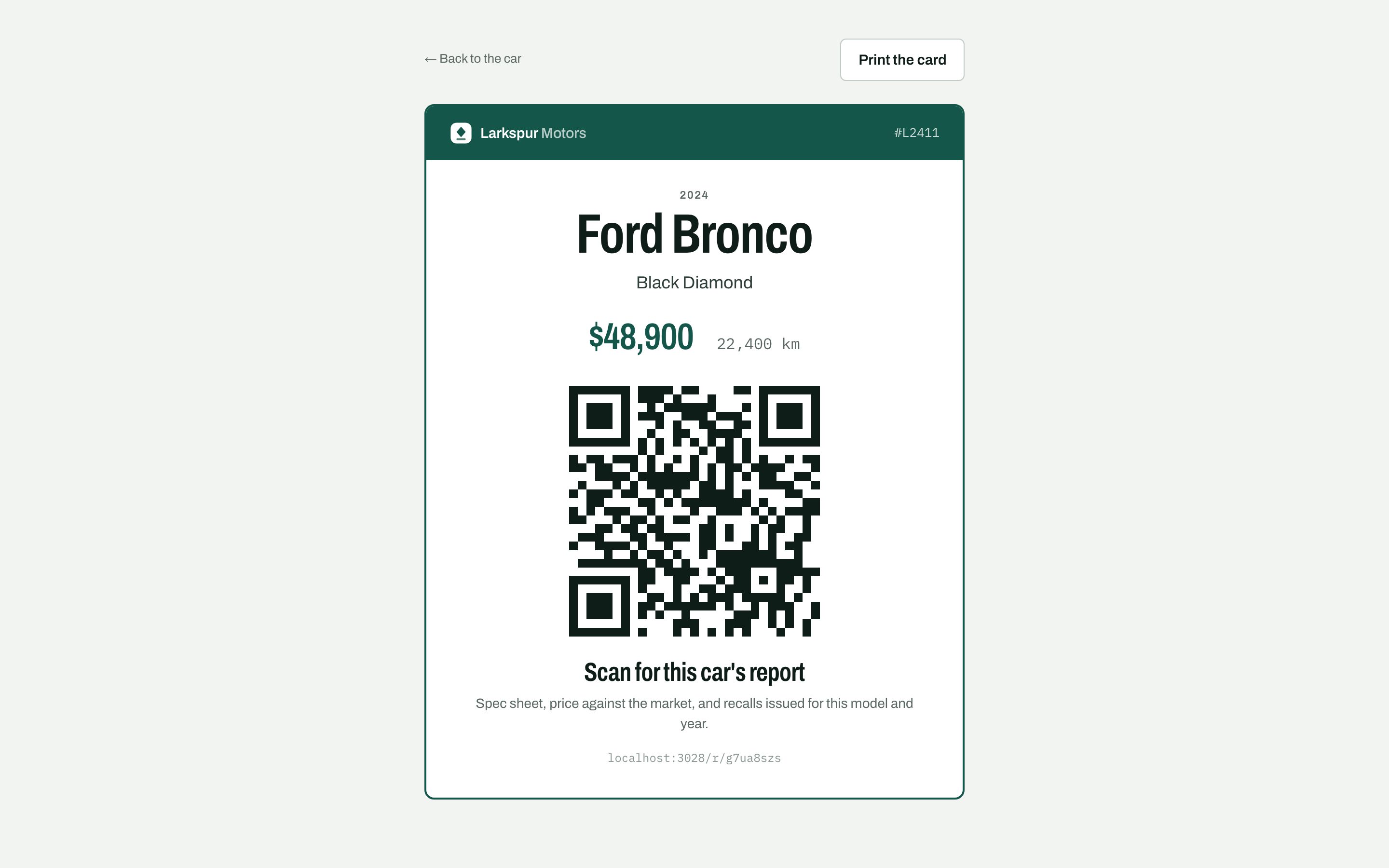
Price and kilometres
Big enough to read from across the lot.
The code
Opens this car's public report.
What the report holds
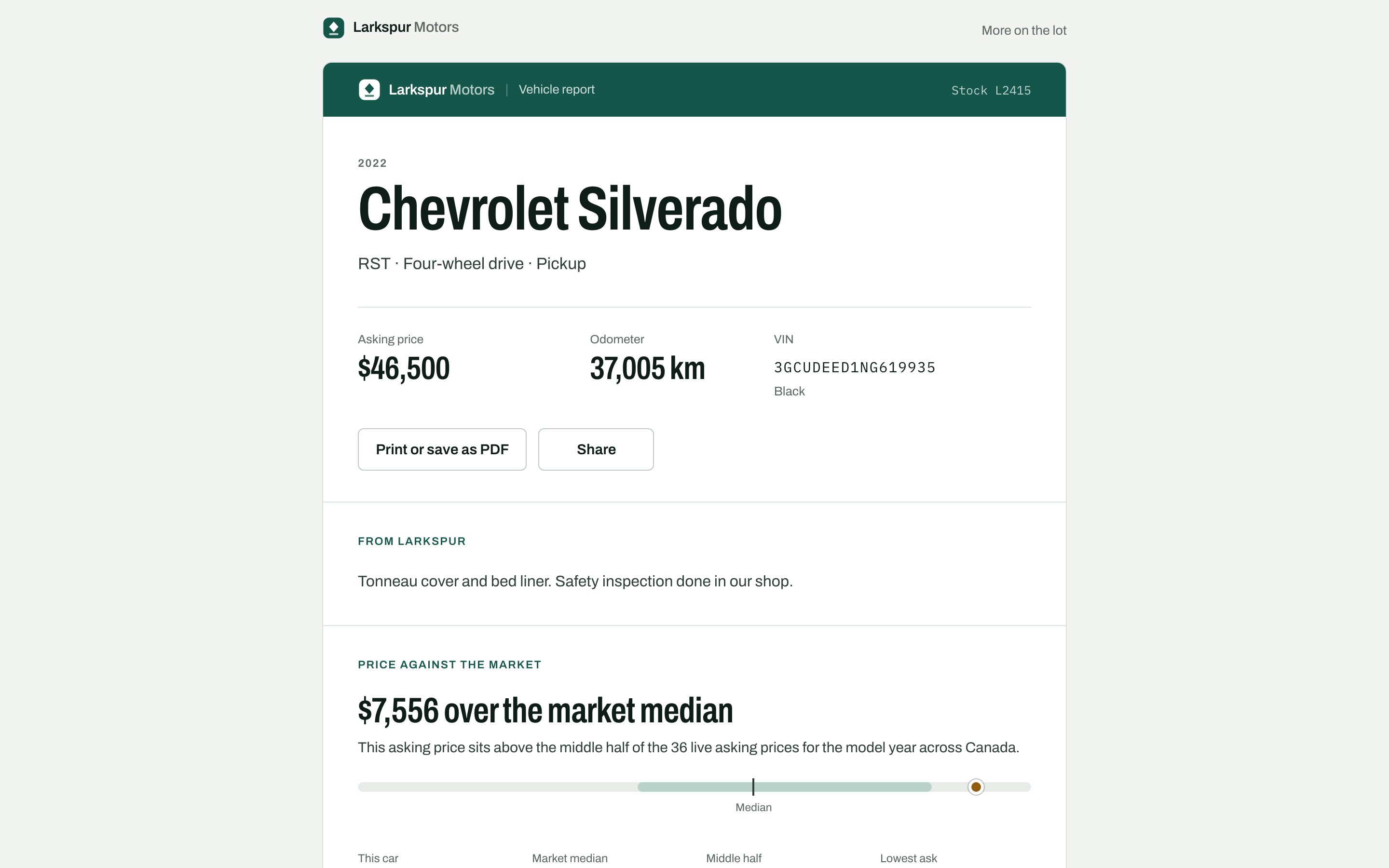
Specs, the price against the market, recalls issued for the model and year.
The finished app
Larkspur Motors, screen by screen
Captures from the running sample app, in the order a person meets them.
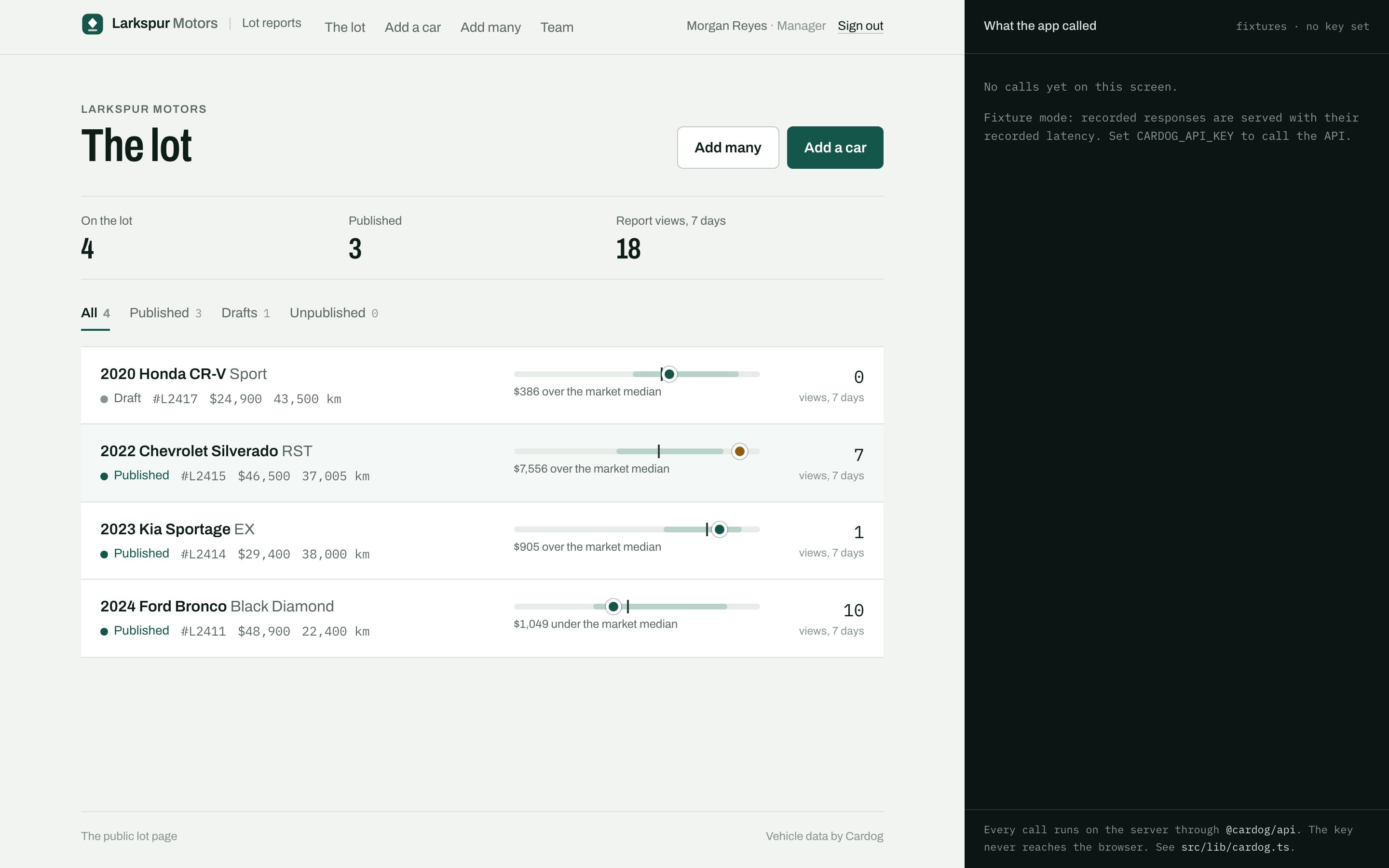
01The lot
Status, price placement and views
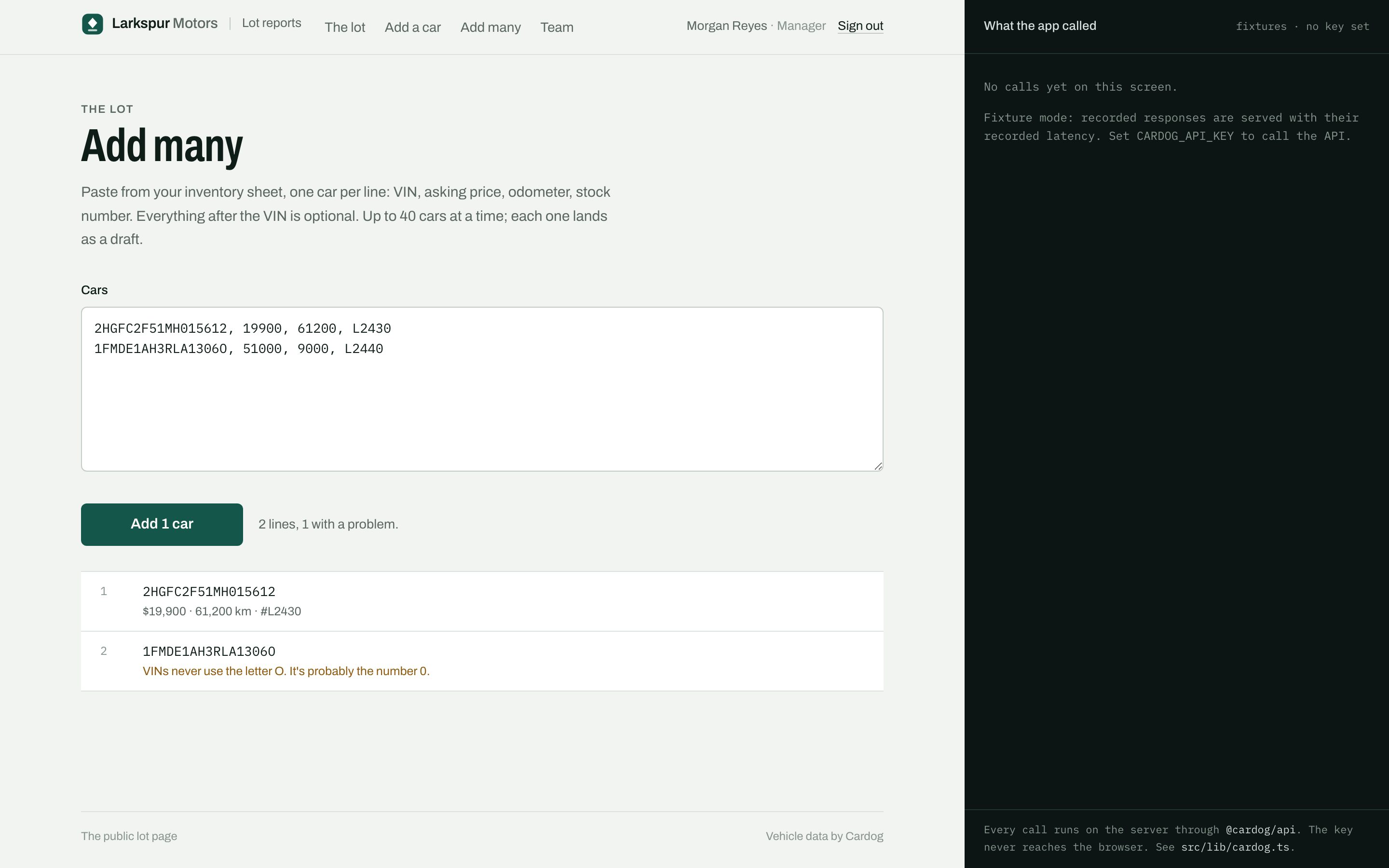
02Add many
Paste from the inventory sheet
Built on the Cardog SDK
8 calls, one server file
Every call runs on the server through @cardog/api. The key never reaches the browser.
cardog.v2.vin.getByVin(vin)
Decodes one car: identity lines, the build code and the model-year ref.
cardog.v2.vin.batch(vins)
Decodes a pasted list in one request, one outcome for each VIN.
cardog.v2.specs.sheetByBuild(nano)
The build's spec sheet by section, without figures that vary by trim.
cardog.v2.vin.windowSticker(vin)
Whether the factory window sticker is on file, and from whom.
cardog.v2.vin.windowStickerDocument(url)
Streams the sticker PDF when a buyer opens it.
cardog.v2.quotes.getByRef(modelYearRef)
Live asking prices for the model year, to place this car's price.
cardog.v2.quotes.getMany(refs)
The same quote for every model year in a paste, in one call.
cardog.v2.recalls.entity(modelYearRef)
Recalls issued for the model and year, on every report.
Build it yourself
Twelve steps, from an empty folder to a deployed container.