Department of Vehicle Services · A motor vehicle office
A registration counter that reads the VIN
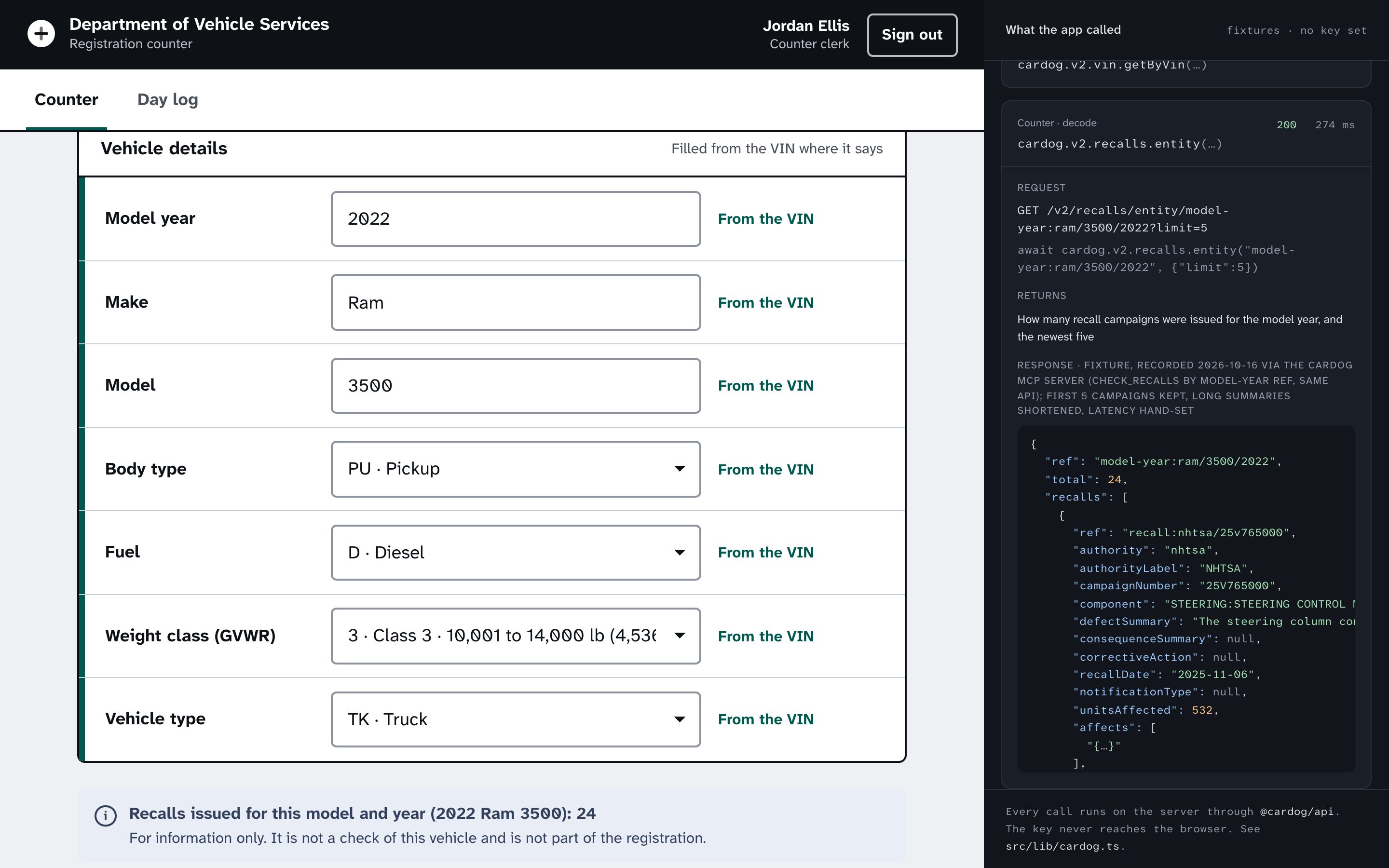
The clerk scans the VIN and the form fills itself, gaps marked.
About 40 minutes, or 5 to clone and run.You need Node 20 or later and pnpm, a Cardog API key, some Next.jsClone the finished appgit clone https://github.com/cardog-ai/example-registration-counter.gitRead the build guide
Department of Vehicle Services
When the paper and the VIN disagree
A mismatch goes to a supervisor, with the reason in plain words.
Check digit
Worked out as the VIN is typed.
The difference
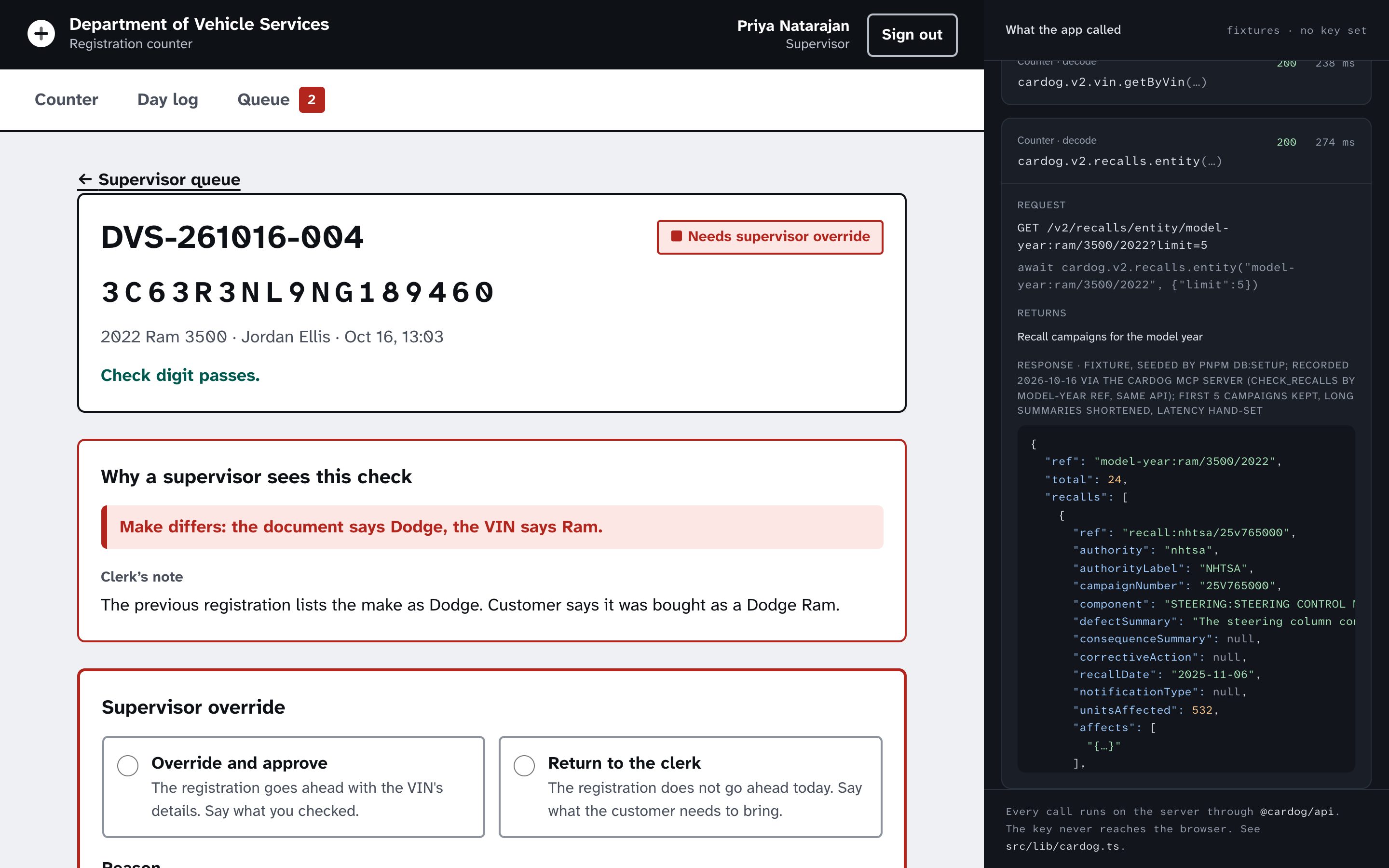
The document says one make, the VIN another.
Override or return
The supervisor decides and says why.
The finished app
Department of Vehicle Services, screen by screen
Captures from the running sample app, in the order a person meets them.
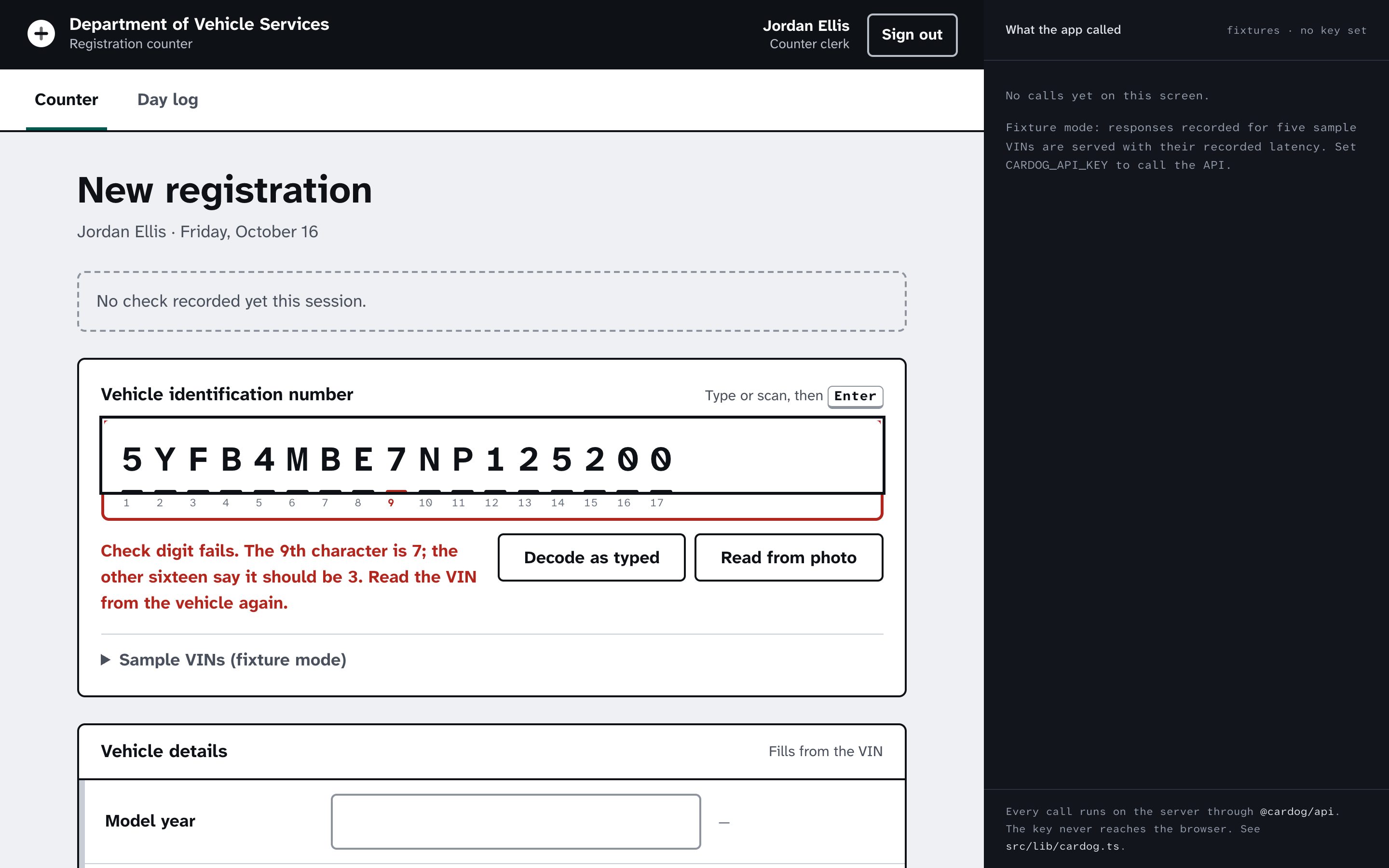
01VIN strip
The check digit worked out as it is typed
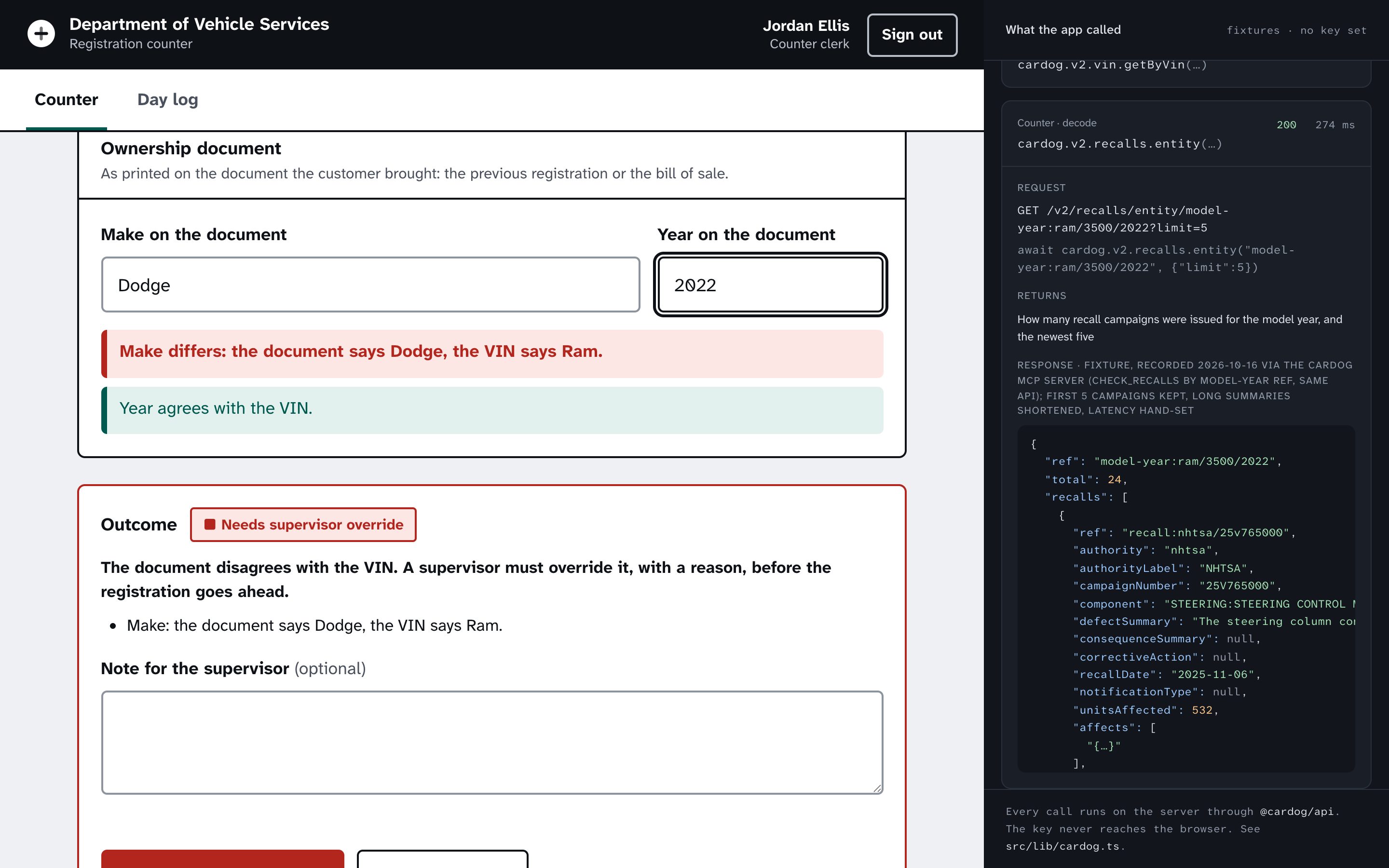
02Document check
Make and year compared with the VIN
Built on the Cardog SDK
3 calls, one server file
Every call runs on the server through @cardog/api. The key never reaches the browser.
cardog.vin.image(base64)
Reads the VIN from a photo of a label the scanner cannot read.
cardog.v2.vin.getByVin(vin)
Decodes the VIN to year, make, model and the refs the form's codes come from.
cardog.v2.recalls.entity(modelYearRef)
How many recalls were issued for the model and year, as one line of information.
Build it yourself
Eleven steps, from an empty folder to a deployed container.